Teleprompter for Windows
Papagallo, a teleprompter that follows your voice
listening
A teleprompter that follows your voice. Free, offline, no account.
Download for Windows
Free · about 130 MB · early beta
How it works
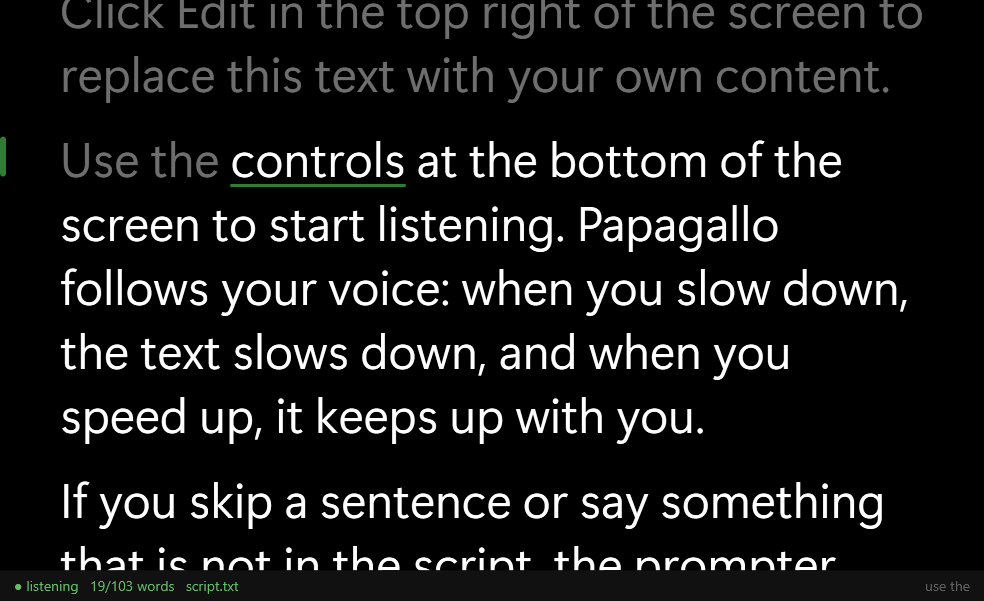
You read. Papagallo listens and keeps the line you are on at one fixed spot, so your eyes never chase the text.
Slower
Slow down and the text slows with you.
Faster
Speed up and it keeps up.
Pause
Stop talking and it stops.
Ad-lib
Go off script and it waits until you are back.
Skip
Jump a sentence and it catches up after a few words.
Repeat
Say a sentence again and it jumps back.
On screen
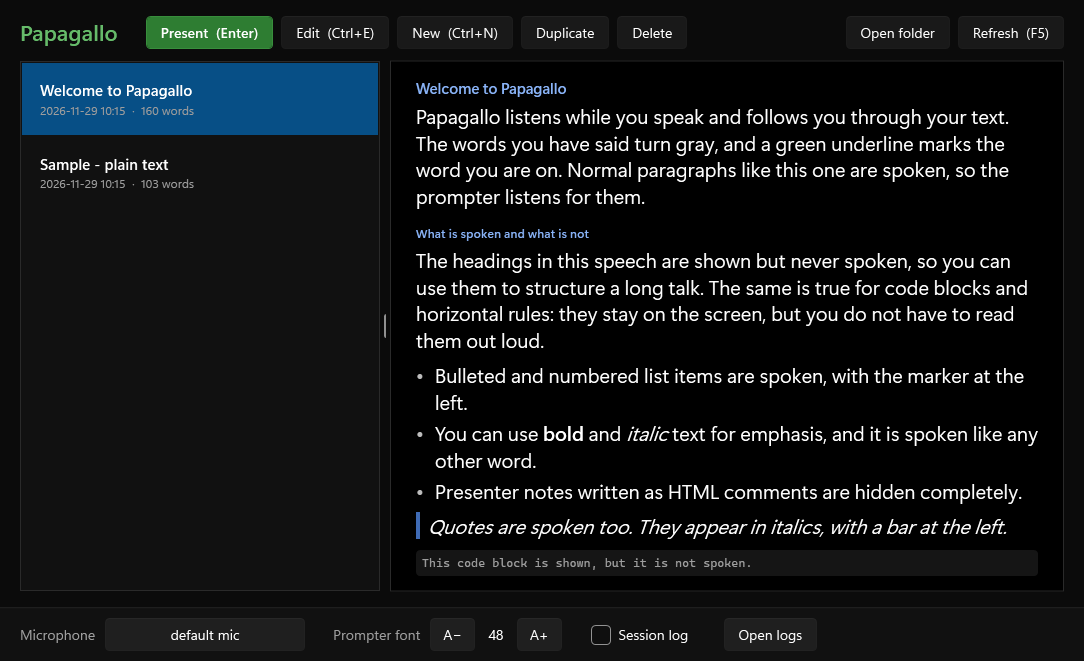
Library: your speeches, one Markdown file each. 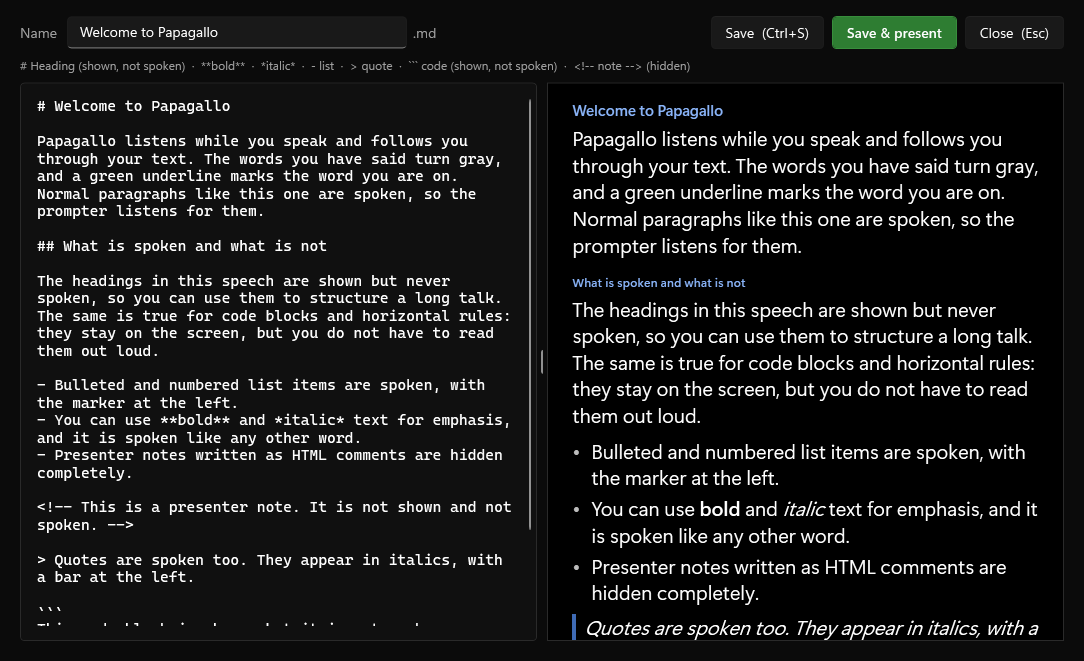
Editor: Markdown left, live preview right.
Features
- Write in MarkdownInside the app
- Speech libraryPick one and go
- HeadingsSection markers, not spoken
- Edit modeNothing overwritten while presenting
- PauseSpace
- Move by word or paragraph← → ↑ ↓
- Mirror modeFor teleprompter glass
- Always on top, fullscreenPlus a microphone picker
Offline
Speech recognition runs on your PC. No account, no cloud. No audio leaves the machine.
Recognition uses sherpa-onnx, an open source engine, with a streaming model that ships in the download.
Download
Free. Unzip and run.
- System
- Windows 10 or 11, x64
- Size
- About 130 MB zip
- Language
- English only for now
- Status
- Early proof of concept
Download coming soon
SmartScreen will ask once. The app is not code-signed. Choose “More info”, then “Run anyway”.